
Para Transaction Permissions is Now Generally Available
AI agents are starting to buy data and pay for services on their own. Para Transaction Permissions let a business define an agent's financial mandate separately from its instructions, so spending limits, approved recipients, and human approval rules are enforced before a wallet signs.

Agents are beginning to make purchasing decisions on behalf of users and businesses. LLMs are not deterministic, so developers building with agents need to define acceptable financial authority independent of the agent’s own reasoning. An agent’s instructions can be ambiguous, and a business needs its spending boundaries to hold even when the agent misunderstands the prompt or chooses an unexpected action.
The core example we’ll use throughout this post is an agent tasked with researching a business problem. It begins purchasing data and paying for services to support its research. However, a prompt such as “find the best answer” does not define an acceptable spending authorization. It gives the agent a task without establishing how much it can spend completing it.
Para solves this with Transaction Permissions, by checking authorization before signing can proceed. For example, a business funding an app-owned wallet can define guardrails that limit the wallet’s signing authority. These policies can restrict recipients and set spending limits, including cumulative limits within a defined time window. When a transaction violates an enforced restriction, Para denies signing.
And in instances where you don’t want to flat out deny a purchase, policies can require a human’s approval before it proceeds. The business decides which transactions require that review. An approval applies to the specific request, and the transaction must still satisfy the other enforced restrictions. A person approving a larger purchase does not override a hard spending limit or permit funds to go to a prohibited recipient.
What this looks like in the example of an agent tasked with research:
- The agent proposes a purchase and the application constructs and submits the transaction through its authenticated integration
- Para evaluates the transaction details against the applicable policies and usage before allowing the wallet to sign.
Because the business defines the policy separately from the agent’s instructions, changing the research task does not give the agent permission to spend more. The application can ask the agent to pursue a different line of research while the wallet continues operating under the same financial restrictions.
With Para Transaction Permissions, a business can give an agent a bounded financial mandate alongside its task instructions. Routine purchases can proceed within that mandate, and the business can choose where a person needs to be involved. This gives developers a way to build agents that act on financial decisions with limits enforced by Para, independently of how the agent reasons about its task.
Get Started
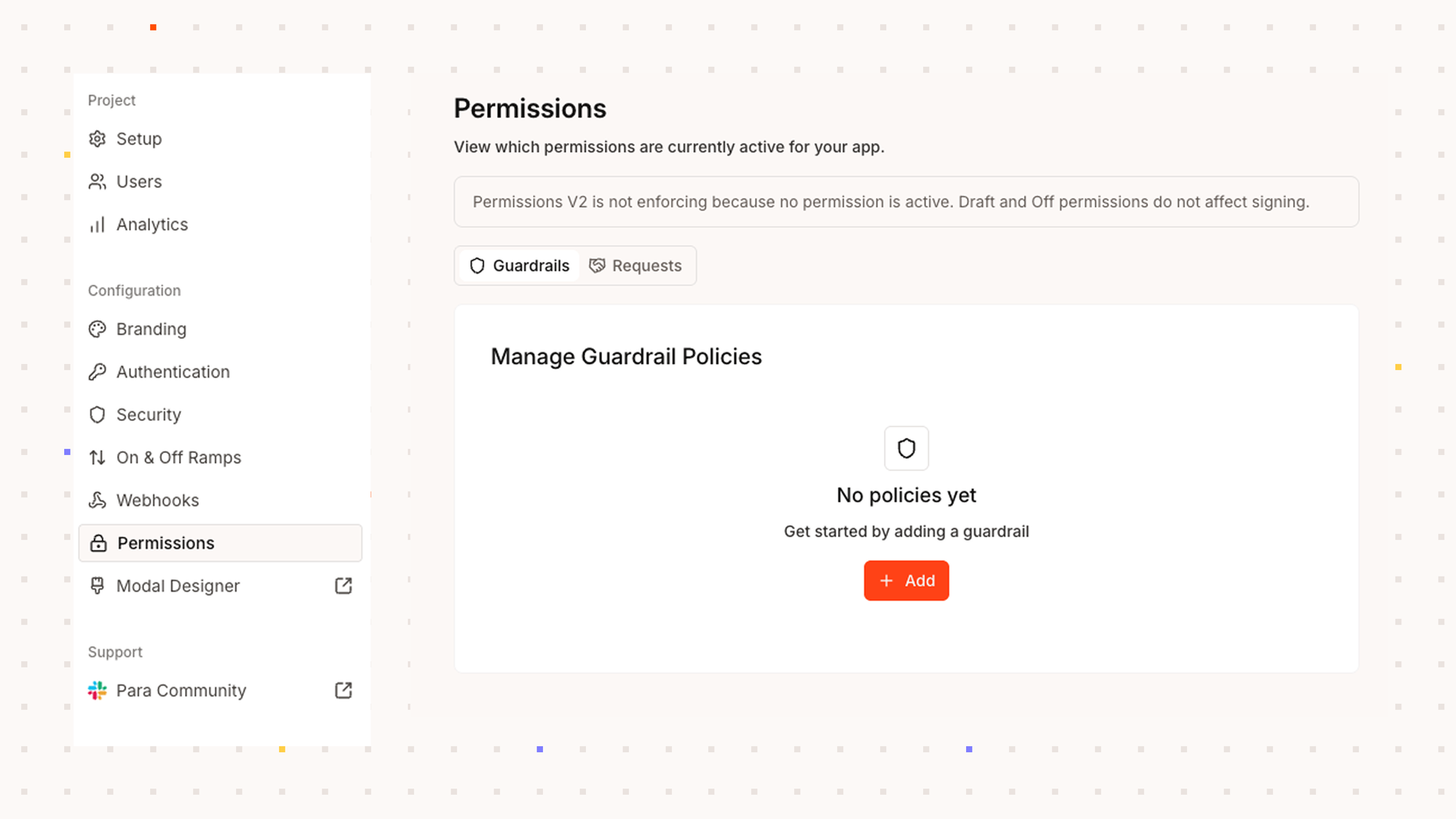
Para Transaction Permissions can also be extended to a variety of other financial use cases like automations, spending limits, smart contract interactions, etc. Get started with Para Permissions, now in GA in your Developer Portal account.
FAQs
How do you set spending limits for AI agents?
With Para Transaction Permissions, a business defines policies on a wallet that restrict recipients and set spending limits, including cumulative limits within a time window. Para checks each transaction against these policies before the wallet can sign.
What happens when an AI agent tries a transaction that breaks a policy?
Para denies signing. The transaction cannot proceed, regardless of how the agent reasoned about its task.
Can a human approval override a hard spending limit?
No. An approval applies only to the specific request, and the transaction must still satisfy every other enforced restriction. Approving a larger purchase does not bypass a hard limit or allow funds to reach a prohibited recipient.
Does changing an agent's prompt change what it can spend?
No. Policies are defined separately from the agent's instructions, so a new task or prompt does not grant additional spending authority.
Is Para Transaction Permissions generally available?
Yes. Transaction Permissions is in GA and available in the Para Developer Portal.