Migrating to Para: A Step-by-Step Guide to Switching Wallet Providers
How to migrate from Reown, Web3Auth, Privy, Dynamic, and other embedded wallet providers to Para Universal Wallets.
Switching wallet providers is a decision that touches your entire stack: authentication, signing, user experience, and the trust your users place in your product. Teams migrate wallet providers successfully all the time, and with the right tooling, the process can take minutes rather than weeks.
For many teams using Reown (formerly WalletConnect/AppKit), Web3Modal, or similar embedded wallet SDKs today, the question isn't whether their current provider will work forever; it's whether they're building on infrastructure that will scale with them across apps, chains, and ecosystems without locking them in.
This guide explains how to migrate from your current wallet provider to Para end-to-end: why teams choose this path, how the migration works in practice, what to expect at each step, and how the Para Migration MCP Server can automate most of the work for you.
To learn more about how Para compares to other embedded wallet providers, we also recommend reading the Universal Embedded Wallet Comparison.
Why consider migrating to Para?
Universal wallets that work across apps, not just inside one. Most embedded wallet providers create app-specific wallets. When a user signs up for your app, they get a wallet that only works in your app.
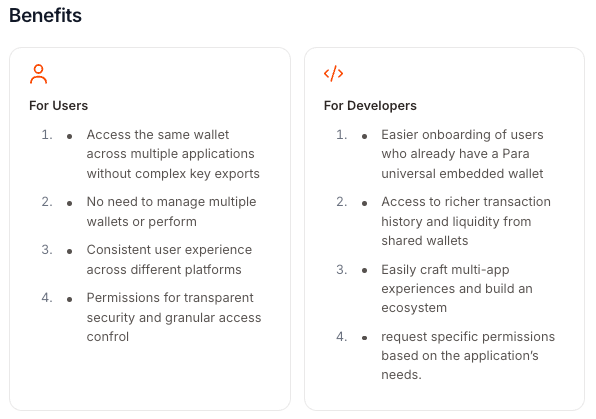
Para takes a fundamentally different approach: users onboard once and can use the same wallet across every Para-integrated application. This creates powerful network effects for ecosystems and eliminates redundant onboarding for users.
Avoiding vendor lock-in. Many embedded wallet providers make it difficult or impossible to migrate away. Wallets are tied to proprietary infrastructure with no export path. Para is built with portability as a first principle: users can exit Para's system at any time without involvement from Para or your app. Your users own their wallets, and you own your integration.
We love @get_para.
— Confetti (@confetti_win) February 20, 2025
And today we’re excited to integrate it as the first embedded wallet we’ve ever enabled.
That means anyone can come to our site, pick Para as their wallet, and start playing in contests—no crypto experience required.
Choosing Para was a no-brainer for us… pic.twitter.com/z7yZwoR2qa
Stronger security by design. Para uses Distributed Multi-Party Computation (MPC) combined with passkeys to ensure private keys are never held in one location and are never accessible to your application or to Para. This decouples key security from the vulnerabilities of social logins, which is a meaningful upgrade from providers that rely on custodial or semi-custodial models.
Non-custodial without the UX tradeoff. Many providers force a choice: either you go non-custodial and burden users with seed phrases, or you go custodial for a smooth experience. Para delivers both: seamless social login (email, Google, Apple, etc.) with fully non-custodial setup underneath.
Ecosystem-grade infrastructure. Para supports EVM, Solana, and other chains from a single SDK, with built-in transaction APIs, gas sponsorship, account abstraction, on/off ramps, and a programmable permissions layer. For teams building across chains or within ecosystems, this eliminates the need to stitch together multiple providers.
Important note before you begin
Before diving into the technical steps, it's worth understanding that wallet provider migrations in the embedded wallet space are fundamentally different from wallet level migrations. You're not exporting and re-importing private keys: you're replacing your SDK integration. The migration is primarily a codebase change, not a key management exercise.
There are two common scenarios:
- Your users' wallets are provider-specific (most common). If your users' wallets were created through Reown, or another provider, those wallets are typically tied to that provider's infrastructure. In this case, migration means integrating Para so that new users get Para wallets and existing users create new Para wallets on their next login. Assets can be transferred from old wallets to new ones as needed.
- You need to preserve existing wallet addresses. If wallet addresses are embedded in smart contracts, shared with counterparties, or otherwise hard to rotate, you may need to coordinate an asset migration strategy. Our team can help you plan this (get in touch if you'd like to chat).
For most teams, the migration is straightforward: swap the SDK, update your auth and signing flows, and your users get a better wallet experience going forward.
What to expect from a wallet provider migration
A migration to Para involves three high-level phases:
- Analyze your current provider integration and plan the replacement
- Replace your wallet provider code with Para's SDK
- Validate that authentication, signing, and UI all work correctly
With the Para Migration MCP Server, these phases can be compressed into a single automated workflow.
Step 1: Analyzing your current integration
Before changing any code, you need to understand exactly what your current wallet provider touches in your codebase. This includes provider components and context wrappers, authentication hooks (login, logout, session management), wallet connection and account hooks, signing and transaction flows, and UI components like connect buttons and modals.
Using the MCP Server: The analyze_project tool scans your codebase automatically and detects which provider you're using, which hooks and components are in play, and recommends the appropriate migration strategy (e.g., reown-to-para, web3modal-to-para).
"Analyze my project for wallet provider usage and suggest migration strategy"
The tool outputs a complete inventory of what needs to change, so there are no surprises mid-migration.
Step 2: Replacing your wallet provider with Para
This is where the actual migration happens. Para's MCP Server uses an atomic replacement architecture, so it removes your old provider code and replaces it with Para equivalents in a single, all-or-nothing operation with automatic rollback if anything fails. Things that get replaced:
- Dependencies
- Provider components
- Authentication hooks
- UI components
Running the migration
"Execute atomic migration from Reown to Para with rollback capability"
The MCP Server handles the full replacement. If it detects any issues mid-migration, it automatically rolls back to your original code.
Generating your Para configuration
The generate_migration_config tool creates a production-ready Para configuration using your API key. You can get a Para API key from the Developer Portal.
"Generate Para config with my API key"
Step 3: Addressing the three critical issues
Real-world migration analysis has identified three issues that cause 90% of migration failures. The MCP Server's validate_para_migration tool checks for all three automatically, but it's worth understanding them:
Missing ParaModal component (causes ~30% of failures). After replacing your provider, you need the <ParaModal /> component rendered in your app for the wallet connection UI to appear. The atomic migration includes this automatically, but manual migrations often miss it.
Missing CSS imports (causes ~25% of failures). Para's modal requires its stylesheet to render correctly. The import @para-wallet/react/styles.css must be added to your app's entry point (e.g., layout.tsx, main.tsx, or _app.tsx). The generate_css_imports tool auto-detects the correct file.
"Validate my Para migration for critical issues"
Step 4: Validation and testing
Before shipping to production, validate that everything works. The validate_migration_state tool provides a completion percentage broken down by category: dependencies, imports, providers, and hooks.
What to verify:
- Authentication flow: Users can log in via email, social accounts, or existing wallets
- Wallet creation: New users get a Para wallet on first login
- Transaction signing: Signing works correctly on your target chains
- Modal UI: The Para Modal renders with correct styling
- No residual code: Zero references to the old provider remain in your codebase
"Validate migration state and check completion percentage"
Only once validation passes should you deploy to production.
You can always leave Para
Unlike many wallet providers, Para is designed so that users can exit the system whenever they choose. Wallet portability and recovery are built into the architecture, not treated as edge cases. Users' private keys are never held by Para or your application, and recovery is supported through passkeys, multiple devices, and offline fallback options.
What you gain after migratinf
Once you're on Para, your app benefits from capabilities that most embedded wallet providers don't offer:
Cross-app wallet portability. Your users' wallets work in every Para-integrated application. They onboard once and transact everywhere with no repeated signups, no fragmented identity.
Multi-chain support from a single SDK. EVM, Solana, and other chains are all supported natively. No need to integrate separate providers for different chains.
Programmable permissions. Para's permissions layer lets you set rules for transaction signing, enforce compliance requirements, and tailor user experiences per application or ecosystem.
Built-in money movement. On/off ramps, bridging, swapping, and sending are available via APIs that abstract liquidity and cross-chain complexity.
Account abstraction support. Para integrates with many account abstraction providers for smart account features like gas sponsorship, transaction batching, and session keys.
Getting started
To begin your migration, you need:
- A Para API key from the Developer Portal
- The Para Migration MCP Server
- An MCP-compatible client such as Claude Code, Cursor, or Claude Desktop
Resources
- Para Documentation — Official SDK docs and integration guides
- Para Migration MCP Server — AI-powered migration tooling
- Migration Docs
- Developer Portal — Get your API key
- Universal Embedded Wallet Comparison — How Para compares to other providers
- Para Examples Hub — Sample apps and reference implementations
If you decide to migrate to Para, the team and community are available to support you. Start building today at developer.getpara.com or join our Community Slack.