Announcing Para 2.0: 9 Key New Features
The latest release of Para’s SDK is a major evolution focused on developer experience and powerful new wallet features. 9 key new features provide streamlined authentication, enhanced wallet components, and greater flexibility, all while maintaining a smooth, intuitive user experience.
1.Account Widget

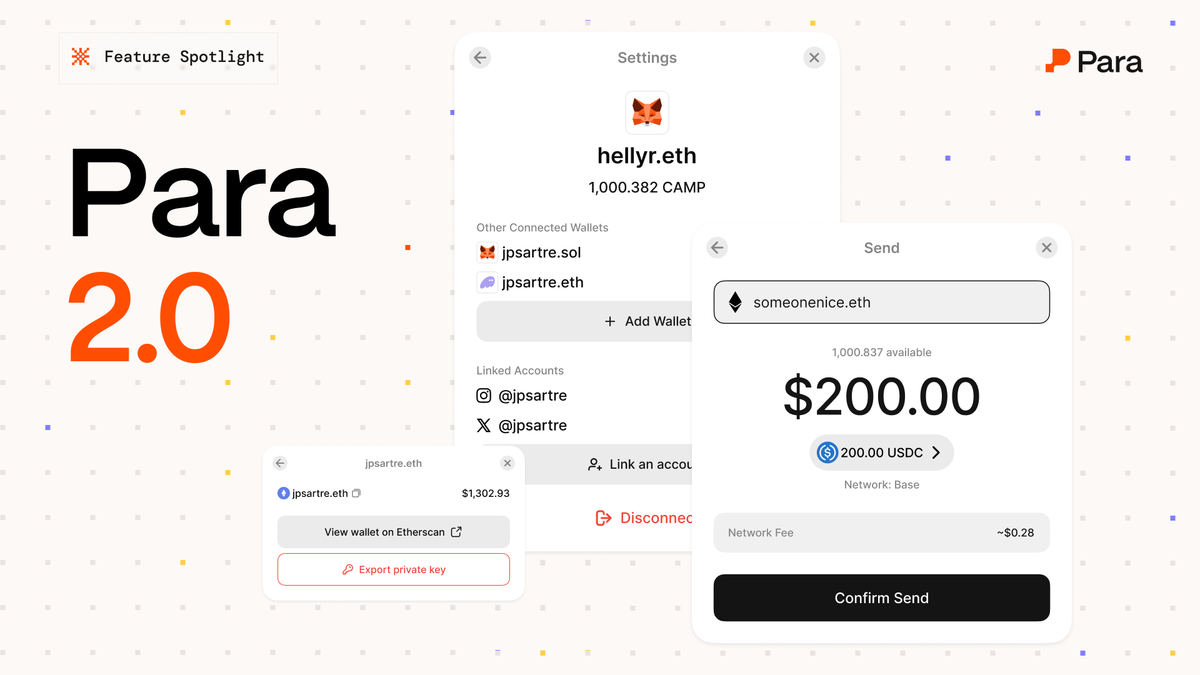
Para 2.0 introduces a new Account Widget, an in-app panel that displays wallet addresses, assets, and enables the ability to on-ramp, send, and withdraw their assets, embedded right into your application’s UI.
Aggregated Balances in USD
A major upgrade in Para 2.0 is the unified balance display. The account widget now shows the user’s total balance across networks in one familiar view, complete with a dollar-denominated balance. Instead of just raw token amounts, it aggregates all tokens across supported chains and converts them into a single USD value.
Incredible to see the @get_para and @juiceboxETH teams quickly build the 1st version of crypto crowdfund onboarding using debit cards and checking accounts ✴️💳🧃
— AdamHurwitz.eth (@adamshurwitz) September 18, 2025
It's important to reach as many people as possible with crowdfunds new and experienced to crypto. @juicebox_money is… https://t.co/DDS9Igdc2b pic.twitter.com/6TAQfVt30U
Powered by Price Feeds
Under the hood, Para integrates with robust pricing data (via Zerion API) to fetch real-time token prices across chains
Even if a user holds ETH on Ethereum and SOL on Solana, Para converts those to a single dollar value for display. The total updates as markets move, giving users an up-to-date portfolio view.
Familiar Display
The embedded wallet feels instantly recognizable to mainstream users, as if they were checking a banking app balance.
2.Send Functionality
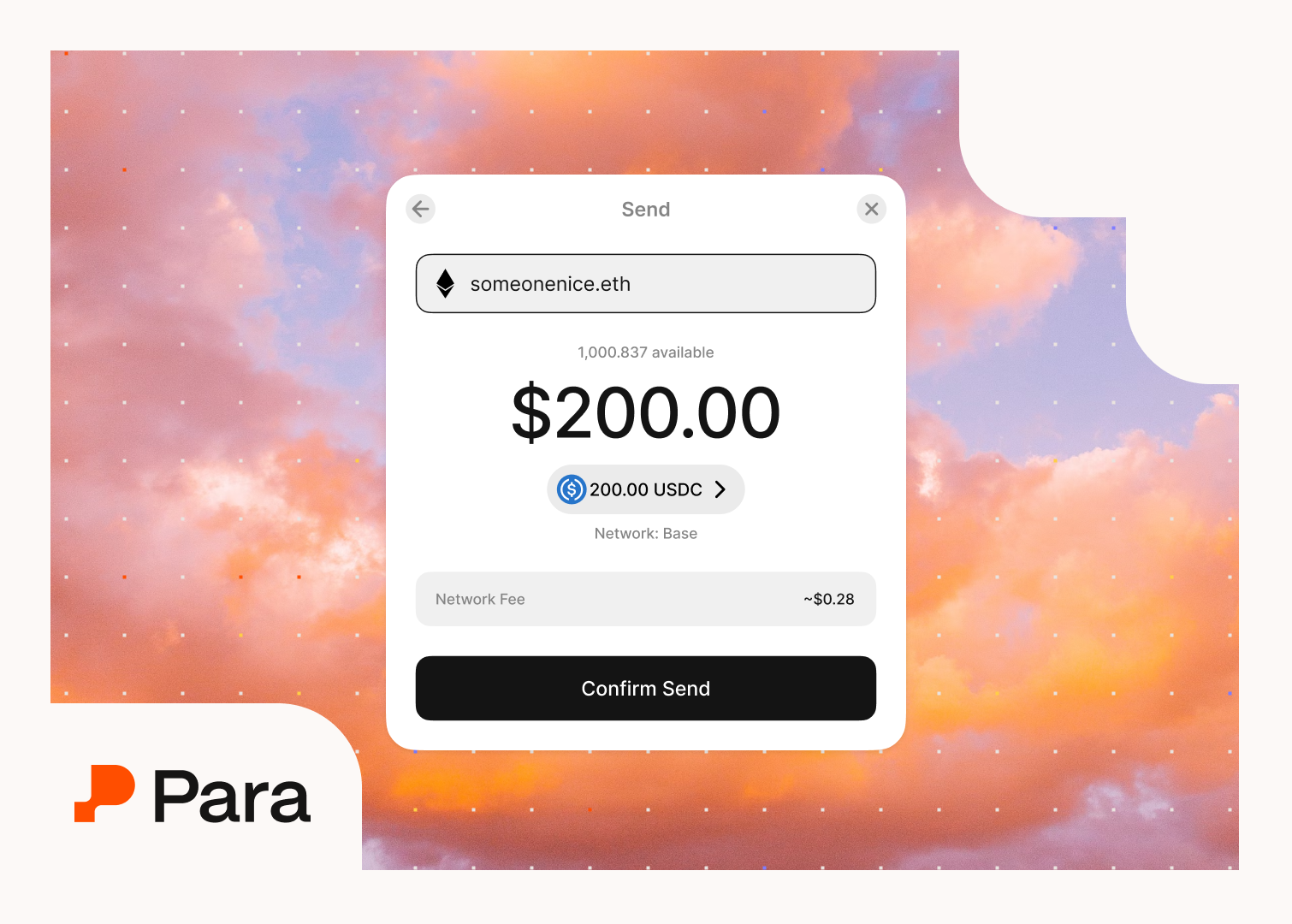
Built-in Token Transfers
Sending tokens is now easier than ever. Para 2.0 includes native Send functionality that lets users transfer funds from their embedded wallet with minimal developer effort. In the Para modal or widget, users can initiate a transfer (e.g. “Send”) and the SDK handles the heavy lifting of transaction creation, signing, and broadcasting.
3.Custom Asset & Network Support
Extendable Ecosystem
You can now configure custom assets and networks in the Para SDK so that your app’s specific token or even a private/test network is recognized. By supplying metadata for a custom asset (name, symbol, icon) and the implementation details per chain (contract address, chain ID, RPC endpoints, and price feed if applicable), Para will include those assets in the balance queries and display
This means if your app uses a unique ERC-20 token or an alt L1 chain, you can integrate it seamlessly into the Para wallet.
Custom Balance Modes
The Para modal’s balance display supports a Custom Asset Mode as well, where instead of showing a USD aggregated total, it can show balances of a specific token you choose (with no fiat conversion). This is useful for apps centred around one primary token
4.Account Linking
Unified Identity Graph
The new Account Linking feature lets users connect external accounts, like social media profiles or existing wallets, to their Para wallet identity. With a few taps, a user can link their Discord, Twitter, Phantom wallet, or email to their Para account.
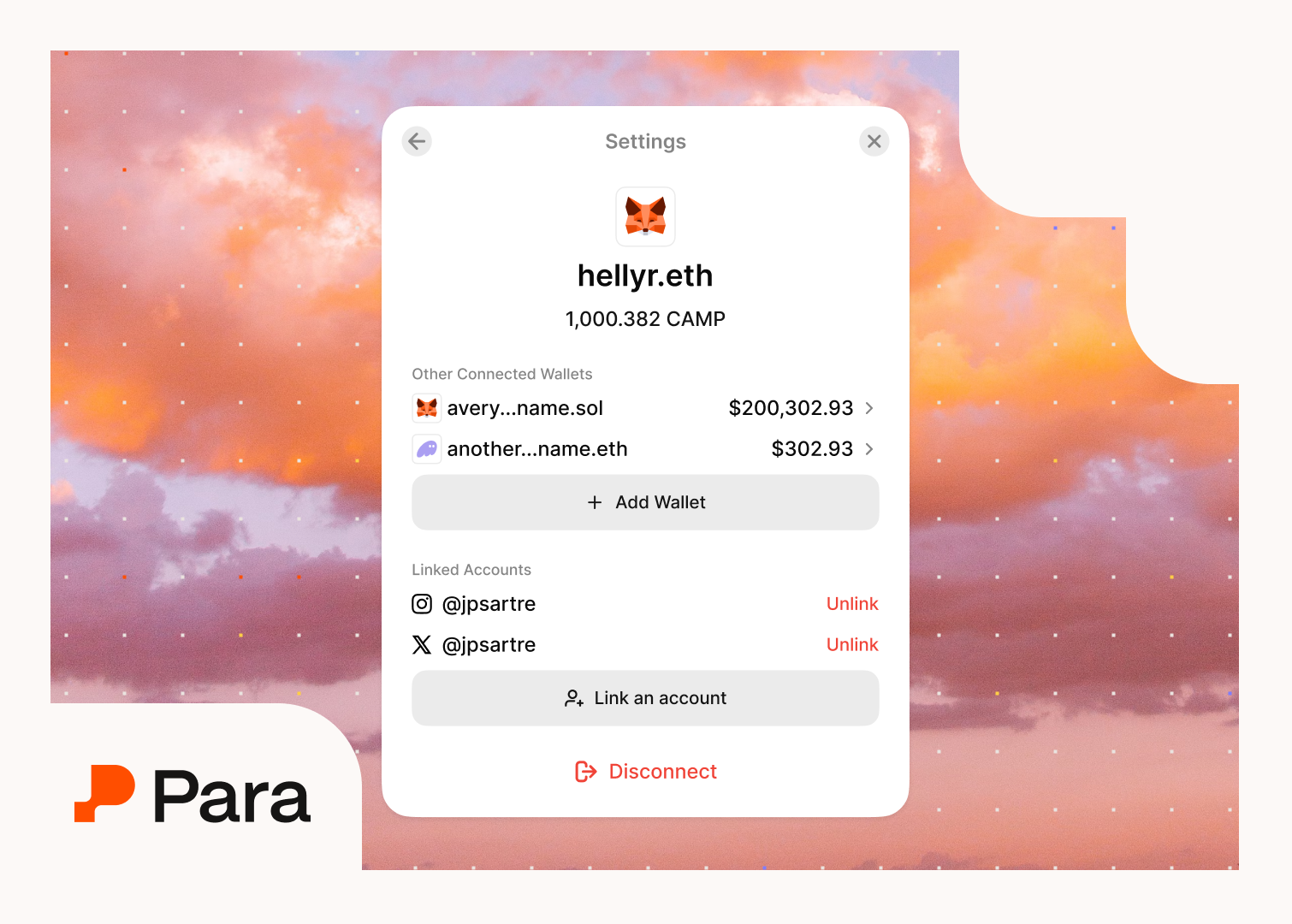
Richer Profiles & Personalization
By linking accounts, apps can show users’ display names, profile pictures (PFPs), or reputation scores instead of just a hex address, making the experience more personal
Maintained User Privacy
All of this happens without compromising privacy. Data is only shared with consent and only within the app that the user has linked to.
 Para Team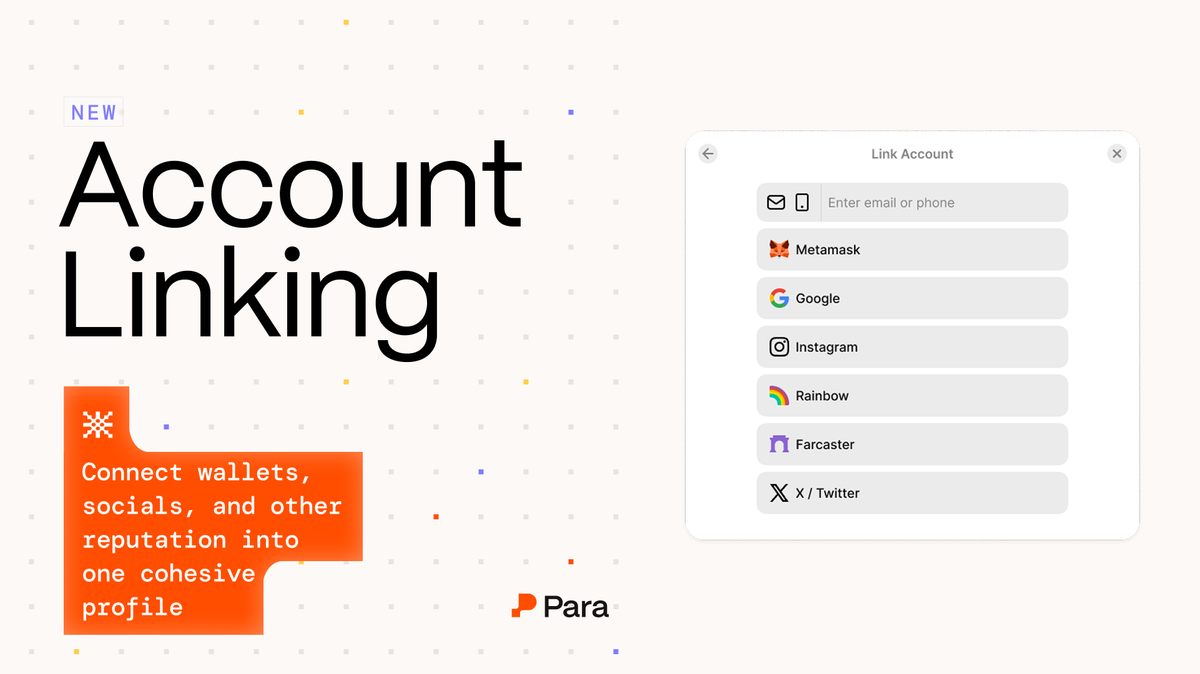
Developer Benefits
Account Linking transforms Para from just a wallet into an identity layer. Your app can tailor experiences based on linked context (e.g., welcome back users by name, unlock features for users with certain social links or onchain achievements). It’s a powerful way to increase engagement and retention by recognizing the user as more than an address.
5.Linked Embedded Wallets (External Wallet Login)
Seamless External-to-Embedded Onboarding
Para 2.0 enables “linked embedded” wallet flows, meaning users can log in with an external wallet and automatically receive an embedded wallet provisioned/linked to their account.

6.Embedded Wallet Switching in Session
In-App Wallet Selector
Along with linked embedded wallet support comes the ability to switch the active wallet on the fly during a session. Para 2.0 provides easy methods (and a UI in the modal) to let users switch between their wallets without logging out.
For example, if a user has both a Phantom wallet and a Para wallet in your app, they can toggle which one is “active” to use for the next transaction. The context changes instantly, so developers can, say, show the balance and assets of the selected wallet and execute transactions with it.
Developers can programmatically set which wallet is active (e.g., via a dropdown of wallets), and Para will update the session accordingly.
Smooth User Experience
For users, this feels like a multi-account wallet (similar to how one might switch accounts in a banking app). It’s fast and intuitive, and avoids the need to sign out or juggle separate credentials for different wallets.
7.Export Private Key
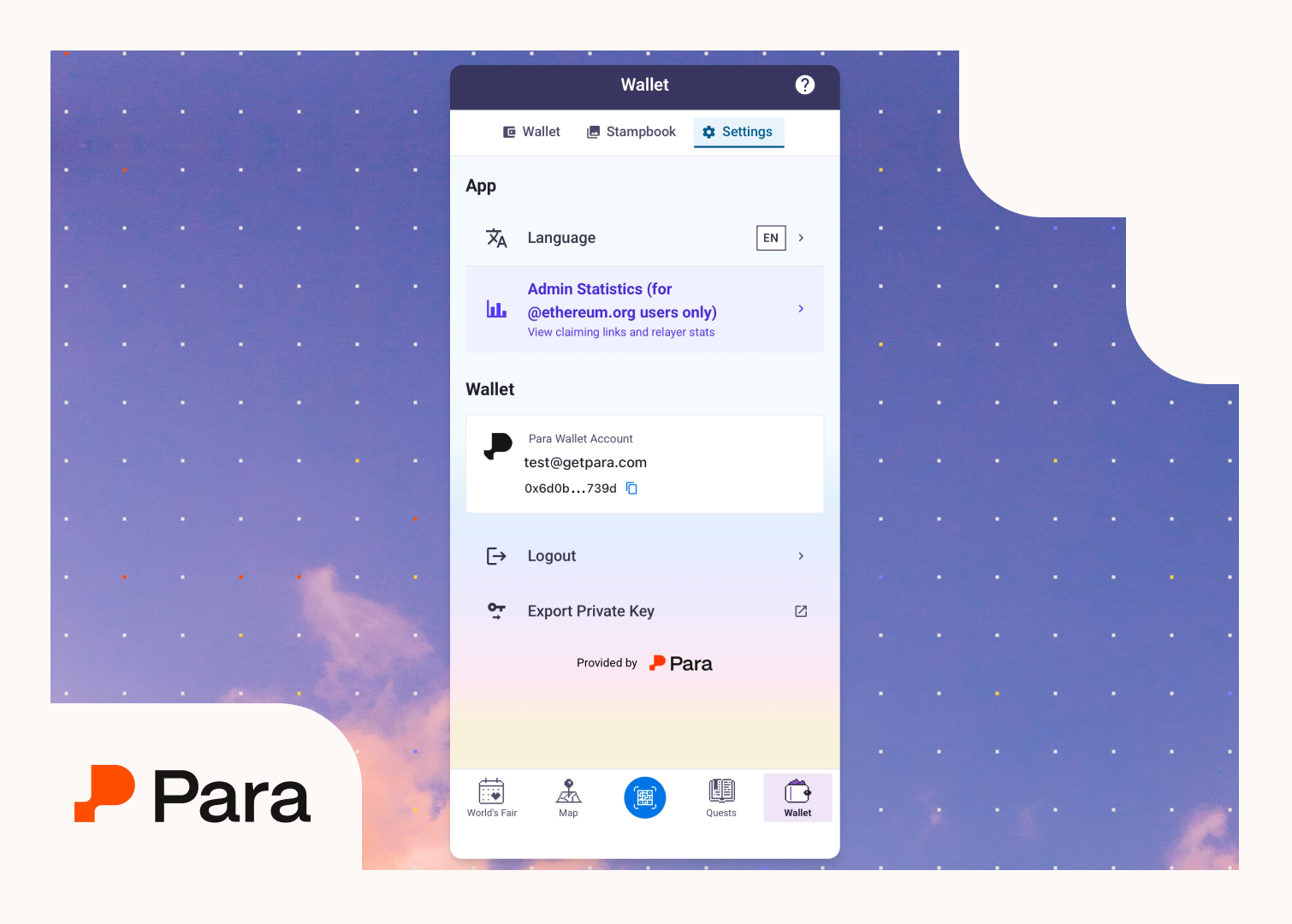
User Ownership & Portability
In Para 2.0, users can now export the private key of their embedded wallets if they choose to. This feature is important for power users and trust: it underscores the non-custodial nature of the wallets, simplifying the way users can take their keys and use them outside the app if desired.
With a simple UI flow (protected by re-authentication for security), the user can obtain their wallet’s private key and back it up or import it into another wallet app. Developers can enable or disable this feature in their app depending on the use case.
8.Progressive Onboarding with One Click Login
Tap-and-go Login
One Click Login gives users a persistent, non-custodial wallet instantly: no setup, no passwords, no seed phrases. From the login screen, users can tap once to create a fully functional wallet and start using your app within seconds.
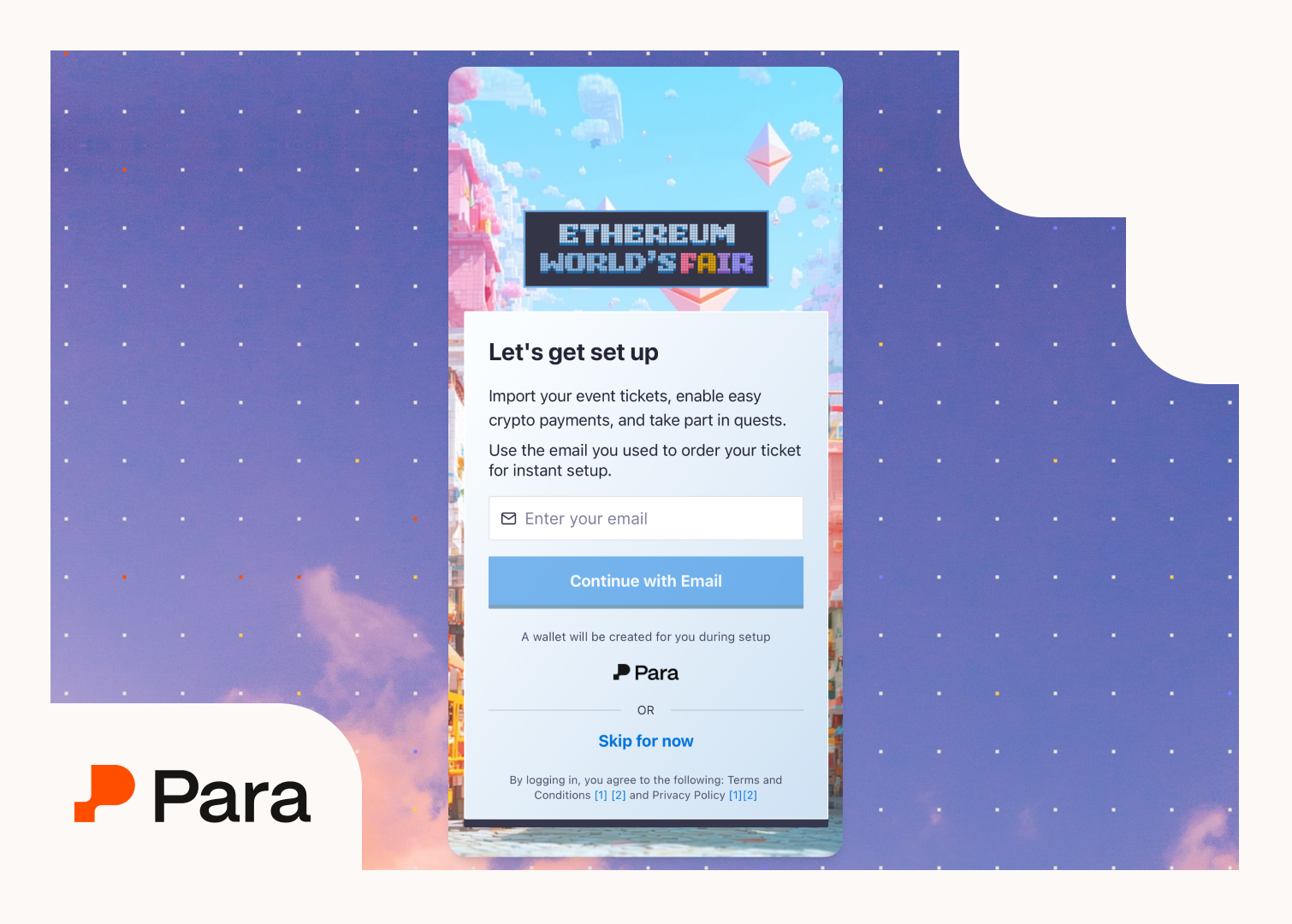
Developers can choose when/if to layer in passkey or password prompts based on user actions or thresholds. That means zero-friction sign-in on day one, with stronger auth only when it matters.
 Para Team
Existing apps can toggle it on in the developer dashboard; no code changes needed. The results are already showing higher conversion, lower drop-off, and onboarding that feels as seamless as Web2.
9.Hooks and Developer Tools
New Hooks for Everything
Para 2.0 dramatically improves the React integration with a suite of powerful hooks to cover common authentication and wallet operations
There are hooks for signing up or logging in (useSignUpOrLogIn), verifying emails/OTPs, creating wallets, checking balances (useProfileBalance), sending transactions, and more. These hooks encapsulate complex state management and API calls, exposing simple React-friendly interfaces.
React Query Integration
Under the hood, Para’s hooks leverage TanStack React Query, providing predictable, cached, and auto-updating state for things like wallet data and letting you focus on your app’s logic instead of wiring up Redux or context for Para’s state.
Para 2.0 in Summary
This release packs a punch for both developers and users. Developers get a more streamlined SDK, with hooks, unified methods, and flexibility to cover more use cases (multi-chain, custom tokens, etc.), resulting in faster build times and less maintenance. Users get a smoother wallet experience: from easier onboarding (guest mode, social linking, one-click login) to richer features like seeing all their assets in one place and porting their keys if they want.
Ready to leverage these features? Dive into the Para docs for implementation guides on each of these capabilities.